August 31, 2026
10 Free Developer Tools You Can Use Directly in the Browser
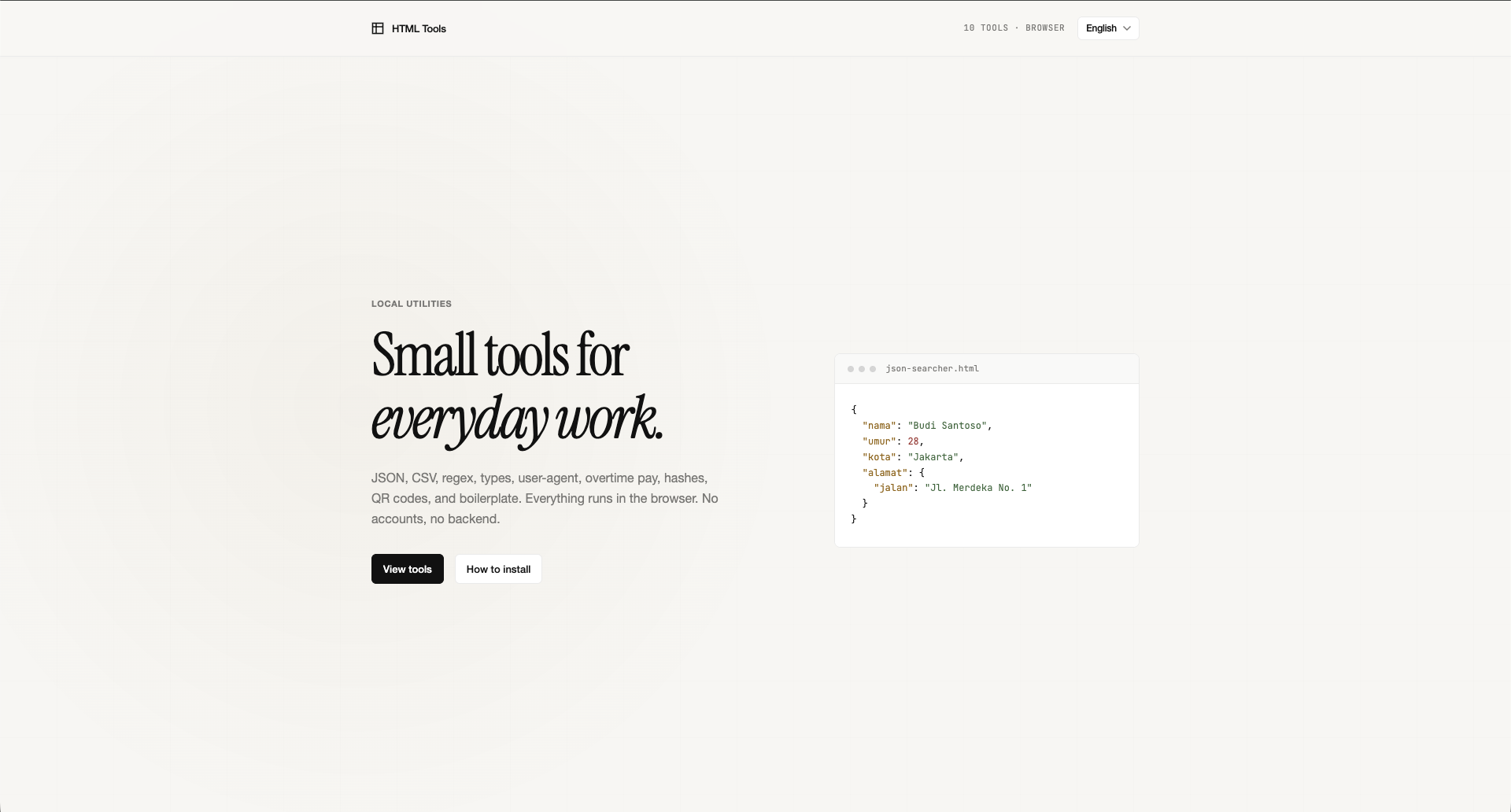
A free, open-source set of browser-based developer tools for JSON, CSV, regex, QR codes, and other small tasks — no install required.
As a developer, a lot of small work does not need a new project or a complex app.
Sometimes we only need to inspect a JSON structure, compare two objects, convert CSV to JSON, test a regular expression, check a browser User-Agent, or generate a QR code.
The problem is that even these simple jobs often send us across many websites or extra apps to install.
That is why tools.cuydev.com exists: a set of developer tools you can use directly in the browser.
Try HTML Tools →
The project is open source and available on GitHub:
github.com/cuytamvan/html-tools
Here are some of the tools that can help with everyday developer work.
1. JSON Searcher
When you work with large JSON, hunting for a specific property by hand can be tiring.
JSON Searcher makes it easier to find data inside a JSON structure.
For example, when you get an API response like this:
{
  "users": [
    {
      "id": 1,
      "name": "Rizki",
      "email": "rizki@example.com"
    },
    {
      "id": 2,
      "name": "Budi",
      "email": "budi@example.com"
    }
  ]
}
Instead of searching properties manually, you can use the tool to find what you need faster.
Useful when:
- The JSON has many nested objects
- The API response is very long
- You want a specific property
- You are debugging an API response
2. JSON Diff
Have you ever had two JSON payloads and needed to know what changed?
JSON Diff compares two JSON structures.
For example, an API response before and after a backend change:
{
  "name": "Rizki",
  "role": "developer"
}
compared with:
{
  "name": "Rizki",
  "role": "admin"
}
Instead of comparing them by hand, JSON Diff helps you spot the difference.
This kind of tool is useful for API debugging, testing, or checking response changes.
3. JSON Types
When you get JSON from an API, sometimes you only want to see the structure and data types.
For example:
{
  "id": 123,
  "name": "Rizki",
  "active": true,
  "roles": ["admin", "developer"]
}
You can quickly see that:
idis a numbernameis a stringactiveis a booleanrolesis an array
It is simple, but it helps when you work with an API that does not have complete documentation yet.
4. CSV to JSON
CSV is still common for sharing data, especially with spreadsheets or database exports.
The catch is that modern web apps are usually more comfortable with JSON.
Instead of writing a small script every time you need a conversion, use the CSV to JSON converter.
For example:
id,name,email
1,Rizki,rizki@example.com
2,Budi,budi@example.com
can be converted into:
[
  {
    "id": "1",
    "name": "Rizki",
    "email": "rizki@example.com"
  },
  {
    "id": "2",
    "name": "Budi",
    "email": "budi@example.com"
  }
]
This is useful when you move data from a spreadsheet into an app or API.
5. Regex Tester
Regular expressions are powerful, but they are also hard to remember.
Instead of running a regex over and over in a project just to confirm the pattern works, use Regex Tester.
For example, to check an email format:
^[^\s@]+@[^\s@]+\.[^\s@]+$You can try the pattern against several inputs and see the result immediately.
Regex Tester is useful for:
- email validation
- finding a specific pattern
- validating ID formats
- parsing text
- filtering data
6. User-Agent
When debugging a web app, you sometimes need the browser User-Agent.
A User-Agent can tell you the browser, operating system, and environment in use.
The User-Agent tool shows that information without opening DevTools and running JavaScript by hand.
It helps when a bug only happens on a specific browser or device.
7. QR Code Generator
QR codes are part of many modern apps.
For example:
- URLs
- Wi-Fi
- contact information
- payments
- events
- documentation
If you only need a simple QR code, you do not always need a library or a dedicated app.
Use the QR code generator to make one directly in the browser.
8. Hashids
Hashids are often used to turn a number into a shorter string that is nicer in a URL.
For example, a database ID:
123456can be represented as a Hashids string.
This can help you make shorter URLs without exposing sequential IDs to users.
Remember that Hashids are not encryption.
Do not use Hashids as a replacement for encryption when the data needs real security.
9. Boilerplate
Developers often recreate the same boilerplate files or structure.
When starting a new project, you might need:
src/
├── components/
├── composables/
├── pages/
└── utils/
A boilerplate tool can help manage those templates so repetitive setup is faster.
If you start new projects often, this kind of utility can save time.
10. Overtime Calculator
Not every developer tool has to be about code.
Sometimes we also need a small utility for everyday work.
An overtime calculator can help you count overtime without doing the math by hand.
A tool like this may look small, but it is exactly the kind of utility people search for when they need it.
Why Use Browser-Based Developer Tools?
One of the biggest advantages of web-based developer tools is that you do not need to install extra apps.
The workflow is simple:
Open the browser
    ↓
Pick a tool
    ↓
Enter data
    ↓
Get the result
For small jobs, this is often more practical than writing a script or opening a dedicated app.
tools.cuydev.com is also built as a Vue.js app and available as a Progressive Web App (PWA).
The repository is open source, so you can read the source and extend it.
Free and Open Source
HTML Tools is developed as an open-source project.
The source is on GitHub:
github.com/cuytamvan/html-tools
The repository also includes instructions to run the project locally with Bun:
bun install
bun run dev
Then open the app at:
http://localhost:5173The project also provides a Docker image so you can run it with Docker.
Built for Developers
HTML Tools is not meant to replace an IDE, a terminal, or a large development app.
It is built to solve the small problems that show up during development.
For example:
"I just want to compare two JSON payloads."
"I just want to convert CSV to JSON."
"I just want to test this regex."
"I just want to generate a QR code."
For those needs, opening a web tool is often enough.
Try It Now
If you often work with JSON, CSV, regex, QR codes, User-Agents, or other data utilities, you can try the collection directly at:
And if you want to see how the app is built, the source is open on:
HTML Tools is still being developed, and new tools can be added as needed.
Conclusion
Developers do not always need a large app to solve a small problem.
Sometimes a simple utility you can open in the browser is enough to save a few minutes.
From JSON, CSV, regex, and QR codes to other small utilities, HTML Tools tries to gather those everyday needs in one place.
Open tools.cuydev.com and use the tool you need.